
Most website audits start in the wrong place
A website does not exist in a vacuum. Before I judge your website, I need to know how most of your visitors actually get there.
Hot take: most website audits are kinda… useless. Not because they’re done by bad web designers, but because they judge a site like it just spawned out of nowhere and someone randomly landed on it with zero context. That’s not how the internet works.
That’s why before I even open your site, I’m asking questions. What are your business goals? Where are most of your leads actually coming from? Instagram, ads, referrals, or Google? Because a business whose audience binges their content on TikTok first has a completely different starting point than one relying on cold search traffic. If most of your visitors already know your vibe and offer, I’m reading your homepage through that lens—not like they’re meeting you for the first time.
So no, I’m not being annoying asking about your business before I “just look at the site.” I’m making sure I’m experiencing it like your actual audience would.
My first pass is intentionally unfiltered
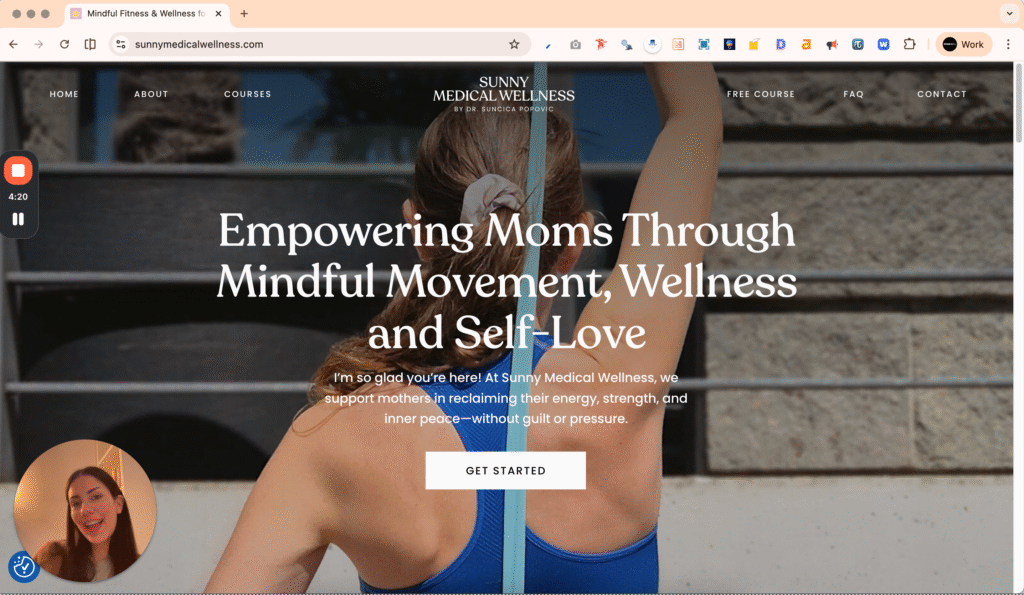
I record my screen and talk through my thoughts in real time.
The very first thing I do? I hit record on a Loom and just… react while exploring your site for the first time and saying exactly what’s happening in my brain in real time.
This is important because first impressions disappear fast. The second I’ve seen your site once, I can’t fully unsee it. I already know where things are, what you mean, how it works. And that’s dangerous, because your visitors don’t get that advantage. So I capture the raw, slightly chaotic, very honest experience before my expert brain tries to clean it up.
I click where I naturally want to click. I follow what pulls me in. I notice when I feel hooked… and when my attention drops off a cliff. Every “wait, what does this even mean?” or “okay wait I like this” gets said out loud and noted.
Also, fun fact: even if I’ve seen your site before, I can usually force my brain into a pretty convincing “first-time visitor” mode again. Don’t ask how, it’s a skill at this point.
Clarity is the audit. Everything else supports it
Your homepage has to answer the silent questions in my head.
Here’s the part most people get wrong: they think I’m only auditing design, or vibes, or “does this look high-end enough.” No. The most important thing I’m auditing is clarity.
Because if your site is even a little confusing, nothing else gets to work. Not your pretty fonts, not your fancy animations, not your personality-packed copy. Confusion kills momentum. And once someone feels that tiny bit of friction? They’re gone.
So while I’m doing that Loom, I’m constantly asking myself one thing: am I smoothly moving through this… or am I getting stuck?
The homepage has a job (and it’s not to be mysterious)
Your homepage is not the place to be vague, poetic, or “intriguing.” It needs to answer the questions people are already thinking—fast.
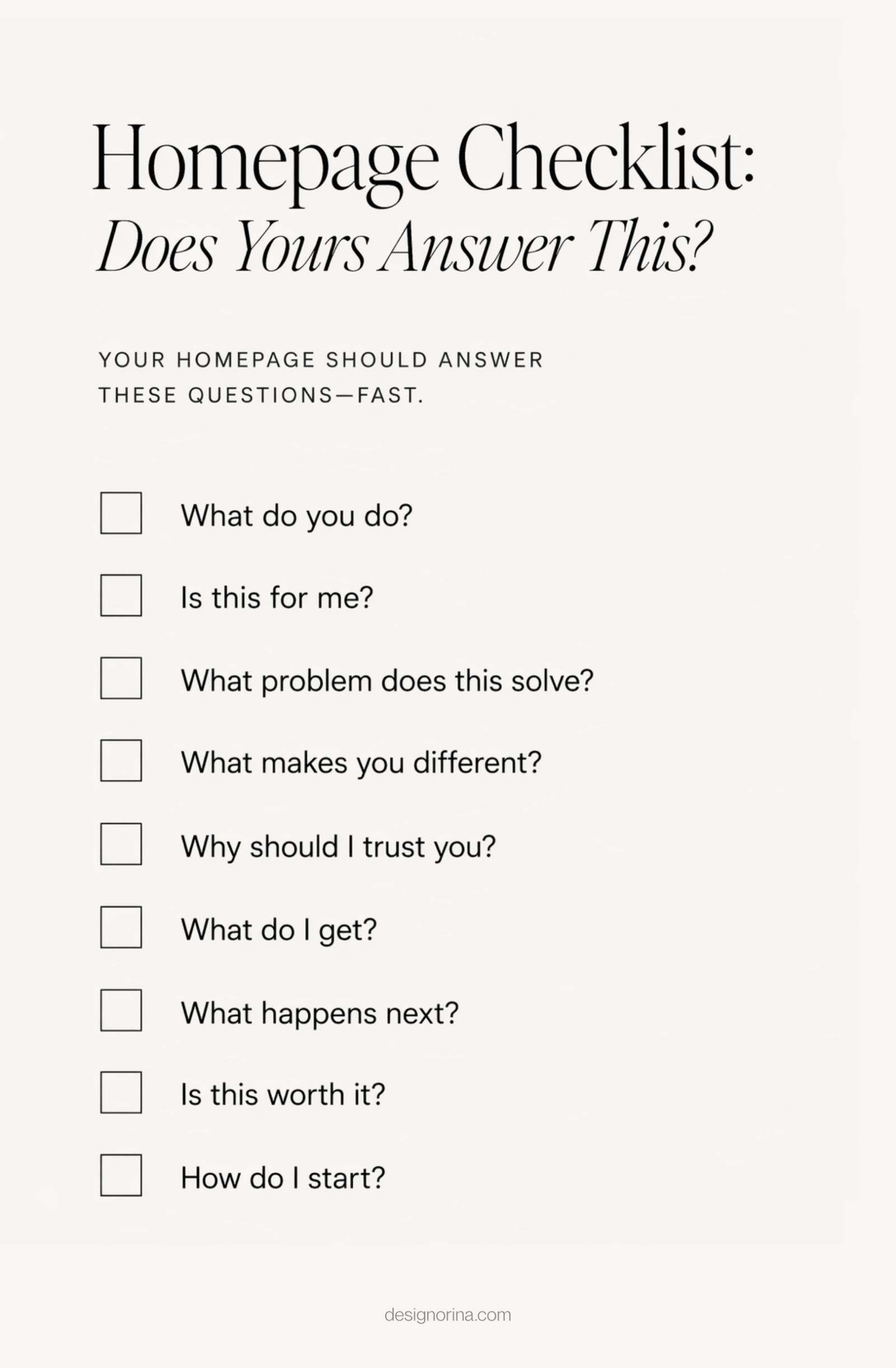
I literally run your page against this mental checklist:
- What do you actually do?
- Is this for me?
- What problem does this solve?
- What makes this different?
- Why should I trust you?
- What exactly do I get?
- What happens next?
- Is this worth it?
- How do I start?
If I have to work to find these answers, we have a problem.
If I can’t skim the headlines and get the point, that’s a problem.
Most people are not reading your website. They’re scanning it like their life depends on it.
Which means your headlines need to carry the message. I should be able to scroll, read just the headlines, and still get a solid understanding of what you do and why it matters. The paragraphs? They’re there to deepen, support, and sell—not explain everything from scratch.
And I notice everything here. Which sections pull me in and make me want to read more. Which ones instantly lose me. Where my attention drops. Where I feel momentum building.
Also—clarity and personality are not opposites. You can be clever, elevated, and on-brand and clear. Confusion is not sophistication. It’s just… confusing.
Then I stop being a casual visitor and become a ready-to-buy one
I imagine I’m already sold on needing this service.
Once I’m done with the first impression pass, I switch roles completely. I’m no longer casually exploring—I’m ready to buy.
I literally put myself in the mindset of someone who already decided, “yes, I need this.” I’m not here to be convinced if I want it. I’m here trying to figure out: can I actually move forward with you, or are you making this weirdly difficult?
I imagine I have competitor tabs open too.
Because let’s be honest—I do. And so does your dream client.
So now the standard is higher. I’m clicking through your site like someone who’s comparing options and lowkey ready to pay today. Which means I’m looking for speed, clarity, and zero friction.
- How fast can I find what I need?
- Where are the actual offer details?
- Do I understand the process?
- Is there any pricing context at all?
- Can I see proof that this works?
- What’s my next step—and is it obvious?
What important information is missing, hidden, or weirdly hard to access?
Are there any broken links? Clunky, impossible-to-read sections? Pages that almost answer the question but not quite. Or worse—making me dig for basic details like I’m on a scavenger hunt.
And no, “if they’re interested, they’ll click around” is not how this works. Not when there are five other tabs open and someone else is making it effortless. The easier you make it for a ready-to-buy person to say yes, the more conversions you’ll see. It’s really that simple.
Desktop can flatter a website. Mobile tells the truth
I audit on iPhone and iPad too, not just desktop.
A site can look amazing on your laptop and then feel completely off when someone opens it on their phone.
So I always switch devices. Not in a lazy “okay it stacks, we’re good” way—but actually going through it like a normal person would, on iPhone and iPad, scrolling, tapping, paying attention to how it feels.
Because people behave differently on mobile. They’re faster, more distracted, less patient. And all the small issues become way more obvious—text that’s slightly too small, spacing that feels cramped, buttons that are annoying to reach, sections that go on forever, images cropping weird.
Sometimes a site’s design feels off but you can’t explain why
My job is not to confirm your guess. It’s to find the real problem.
This is where people get a little delusional (in a normal way). You’re staring at your site like “something’s wrong.” And you’re not wrong. There is something off. But the reason you think it’s off? Usually not it.
I hear the same guesses all the time:
“Maybe it needs to pop more”
“I think this should be bigger”
“Is it the colors?”
And I get why your brain goes there. But that’s you trying to diagnose the feeling without actually seeing the real problem.
So when I’m looking at your site, I’m not isolating one thing, I’m reading how everything interacts: spacing, hierarchy, fonts, colors, images, layouts.
And here’s the part people don’t love: I will not automatically agree with you.
You might be convinced the problem is X. I’ll still check it. But a lot of the time, X is just the visible symptom of Y.
The “make it bigger” situation is my favorite example. Someone keeps scaling something up trying to make it feel right. Bigger, bigger, bigger. Still off. Meanwhile the actual fix? It needed to be smaller. Or spaced differently. Or surrounded by less noise. Once we fix the real issue in the design, it immediately looks perfect.
That’s the stuff you don’t see until you’ve done this on hundreds of sites. Experience teaches you which instinct to trust and which instinct is lying to you.
Then I check the boring stuff that still affects results
I check SEO, page speed, and what’s slowing things down.
After clarity and design, I look at how the site actually functions in the real world. Because a beautiful website that loads slowly or can’t get indexed on Google? Still leaking trust.
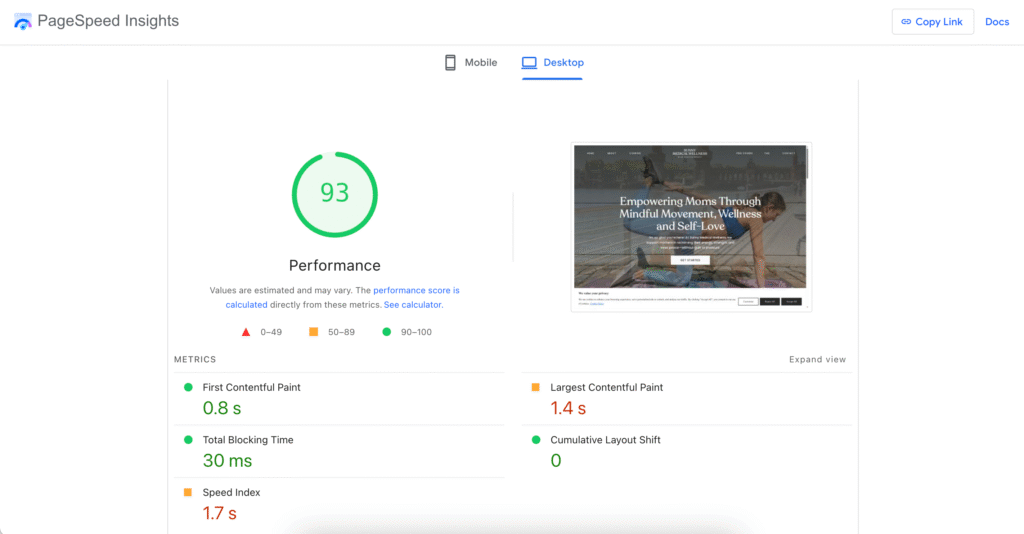
I’ll run your site through PageSpeed and see what’s dragging it down. And it’s usually the usual suspects:
- heavy videos and animations
- oversized images
- messy structure behind the scenes
All of that leaves a footprint. You might not notice it directly, but your visitors do. Even a couple extra seconds of loading changes how your site feels.
I also check for broken links, weird glitches, or anything that interrupts the flow.
And depending on your goals, I’ll sometimes look at SEO too—Search Console, Analytics, what people are actually finding you for, and so on. This isn’t about turning your site into a tech project. It’s just making sure it’s doing its actual work.
You can steal this process. But experience is still the shortcut
Now you know how to audit your own website differently.
At this point, you can absolutely take this and audit your own site.
You know the flow:
- start with context (where your visitors are coming from and what they already know)
- go into clarity (are you moving smoothly or getting stuck?)
- then design (what feels off and why)
- and finally functionality (speed, structure, technical friction)
That alone will take you way further than most surface-level audits.
But here’s the honest part: self-auditing has limits. You already know too much. You know what you meant. You fill in gaps without realizing it. And that makes it really hard to see your site the way a real visitor does.
That’s where experience changes everything. Working on hundreds of sites trains your eye to spot patterns fast—the actual problem, not just the symptom.
So yes, use this. Steal it. Improve your site.
And if you want someone to come in with a clean, experienced perspective and tell you exactly what’s working, what’s not, and what to fix first—that’s literally what my $150 website audit service is for.

Book Your Website Audit
If your website looks good but isn’t converting, something’s getting lost.
My website audit breaks down exactly what’s happening through your audience’s eyes. I review your site for clarity, design, conversion flow, and functionality, and show you what’s working, what’s not, and what to fix first.