There’s usually a moment right before Showit starts sounding very appealing. You open your website to make a quick update. Maybe you want to add a new offer, swap your freebie, or fix one sentence on your homepage. Easy, right? Yeah… not really.
Suddenly you’re 45 minutes deep, scared to touch anything in case the whole layout shifts, clicking through settings that make no sense, or watching your third tutorial just to change something tiny. And at some point you’re like – do I just… leave it?
Your website starts feeling like something you’re not allowed to touch unless you have time, patience, or a developer on standby.
And that’s the problem. Because your website shouldn’t feel like a locked file in 2026. It should feel like something alive. Something you actually use as your business evolves.
If you’ve been on Squarespace or WordPress, you know the rigid, boxed-in grid struggle. And Wix… respectfully… the bugs, the lag, things loading in their own time. It’s a lot.
And that’s usually when you start hearing about Showit with its creative freedom, ease of use, endless integrations – and suddenly, it sounds really good.
But is it actually worth switching to in 2026?
I’ve helped over 700 brands create their online home, and I’m constantly testing new tools and platforms – so let me walk you through my honest thoughts on Showit.
Why Showit feels creative in a way other platforms don’t
It feels more like Canva/Illustrator than traditional website builders.
In 2026, most branding experts agree on this: the brands that stand out aren’t the perfectly structured, overly polished ones. It’s the ones with personality. Movement. Layers. A little bit of intentional imperfection. That’s where Showit just wins.
Designing in Showit feels less like “building a website” and more like actually creating something. Like someone handed you a blank canvas, a stack of magazines, scissors, textures, fonts – and said, go make your brand come to life.
There are no rigid grids like in WordPress or Squarespace. You’re not fighting the layout just to make something look the way you imagined. And unlike Wix, it actually feels stable and smooth to use. You can layer elements, add movement, use video, play with spacing, create text that doesn’t just sit there in a straight line. And that’s what gives Showit sites that high-end, editorial, slightly unexpected feel that makes people stop and look a little longer.
Showit’s been around longer than most people think
Is Showit new?
Before I ever gave Showit a real chance, I had the same question you might be thinking right now: is this actually established, or is it one of those random new platforms? And honestly, that’s a smart question to ask.
Most people have only heard of Wix, WordPress, Squarespace, maybe even Webflow. So when Showit comes up, the immediate reaction is: wait… is this new? Is it safe? Can I actually trust it?
So I did what I always do – I looked under the hood.
Here are the facts: Showit has been around since 2013, so it’s definitely not new. And it’s been used by tens of thousands of businesses across creative industries for years.
And it’s not just “small” brands either. Industry leaders like Jenna Kutcher, Shelby Sapp, Amy Porterfield, and many others are using Showit for their websites.
So yes – it’s proven. And a lot of the brands that are doing things really well are already using it.
You do not need to be “techy” for this
No-code really means no-code here.
You can build pretty much anything just by dragging and dropping elements and using intuitive controls for colors, fonts, animations, and spacing. Nothing feels hidden or overly technical – it’s all visual. You can freely move elements, layer things on top of each other, and create depth in a way that actually makes your design feel more elevated and intentional.
It also comes with a built-in library of icons, shapes, and Google Fonts, so you can experiment and style everything without needing extra tools.
And for me one of the biggest things: what you see is what you get. You’re not designing something that randomly breaks or shifts in live mode. What you design in the editor is exactly what shows up in the live mode. You have complete creative control.
And that makes a huge difference because instead of constantly troubleshooting, you can actually get into a flow state, think strategically, and enjoy the creative process while working on your site.
But what about SEO? Here’s my actual opinion
Let’s just get this out of the way — there is no secret SEO trick that guarantees a first-page ranking. Even if you do everything right. And anyone who’s promising that… I would definitely question their expertise and legitimacy!
But here’s what is true.
Showit sites rank. And not in a “maybe, theoretically” way — I mean consistently, across different industries, without anything overly complicated going on behind the scenes.
And you can literally check this yourself. Go to Google, type in something like “wedding photographer,” click through a few of the top results, and run those sites through BuiltWith [link]. You’ll start noticing a pattern — a lot of them are built on Showit.
It’s simple. Showit gives you all the SEO tools you actually need (and you can even get advanced WordPress SEO plugins and connect them + Showit uses WordPress for blogging, which is where its SEO power actually comes from.
Nothing is missing, nothing is holding you back. So when you combine that with solid keyword research, good content, and consistency? Ranking becomes very realistic. If you want a place to start check out this SEO checklist.
Why Showit makes even more sense in a mobile-first world
A resized desktop site is not the same as a smooth mobile experience.
Not even close. And when over 62% of web traffic is happening on mobile (Statista, 2025), this isn’t a “nice to have” anymore — it’s the standard.
Because think about how you browse. If a site is hard to read, clunky to scroll, or just feels off… you’re gone. Tab closed in seconds. We trust websites that feel easy. That we can scroll through, read effortlessly, and actually enjoy being on.
That’s where Showit is winning. It allows us to not just “optimize” our sites for mobile by shrinking everything down. Nope. You can actually design a completely separate mobile experience — one that actually makes sense for smaller screens. Touch-friendly layouts. Reworked sections. Mobile-only elements. Better spacing, better flow, better readability. So that everything feels intentional and smooth. This is extremely important because it directly impacts how long people stay, how they engage, and ultimately — whether they convert or close the tab frustrated.
Elevated mobile experience is something we take very seriously in Designorina templates — so if you want a head start in creating a site that feels just as good (if not better) on mobile, you can explore them here.
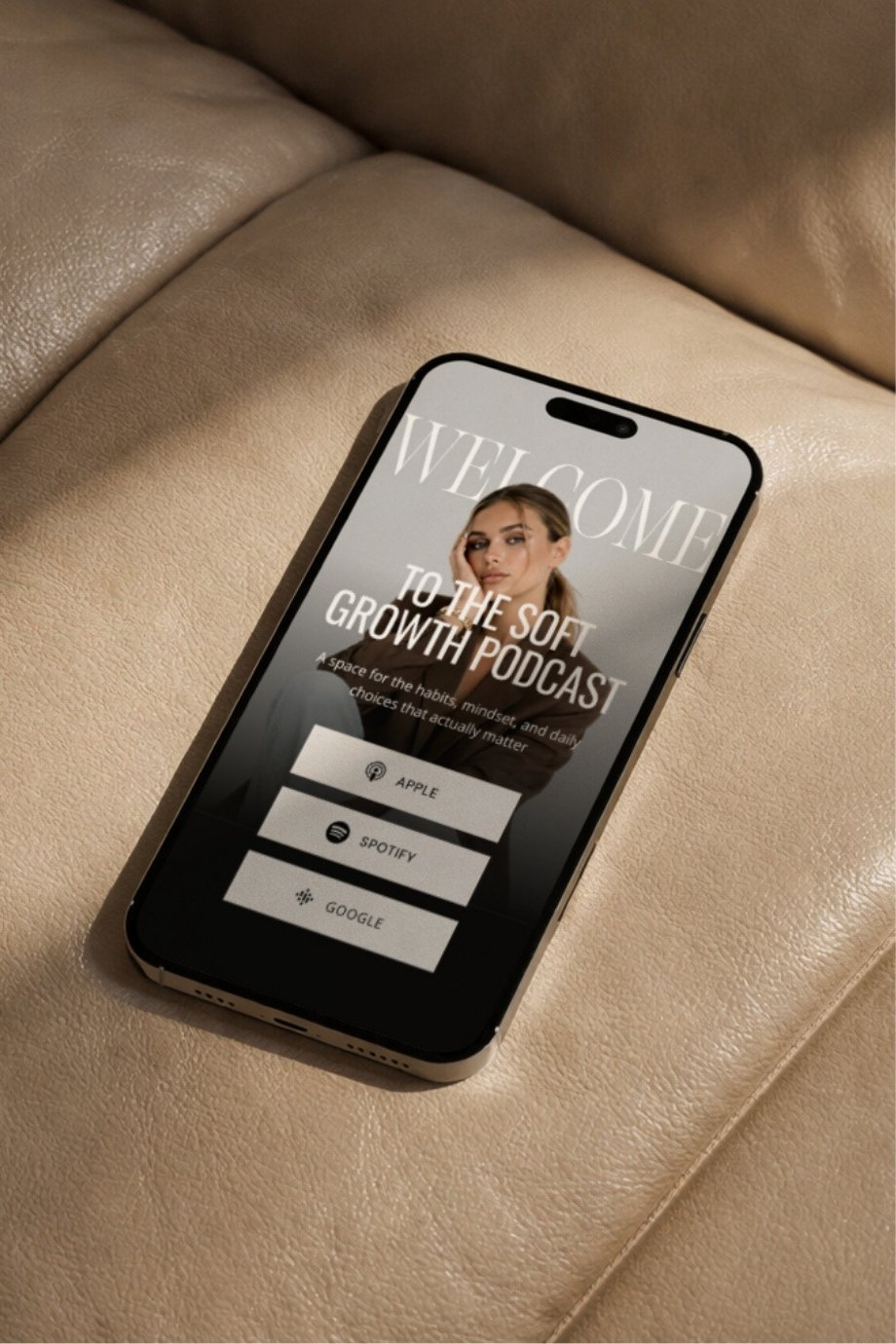
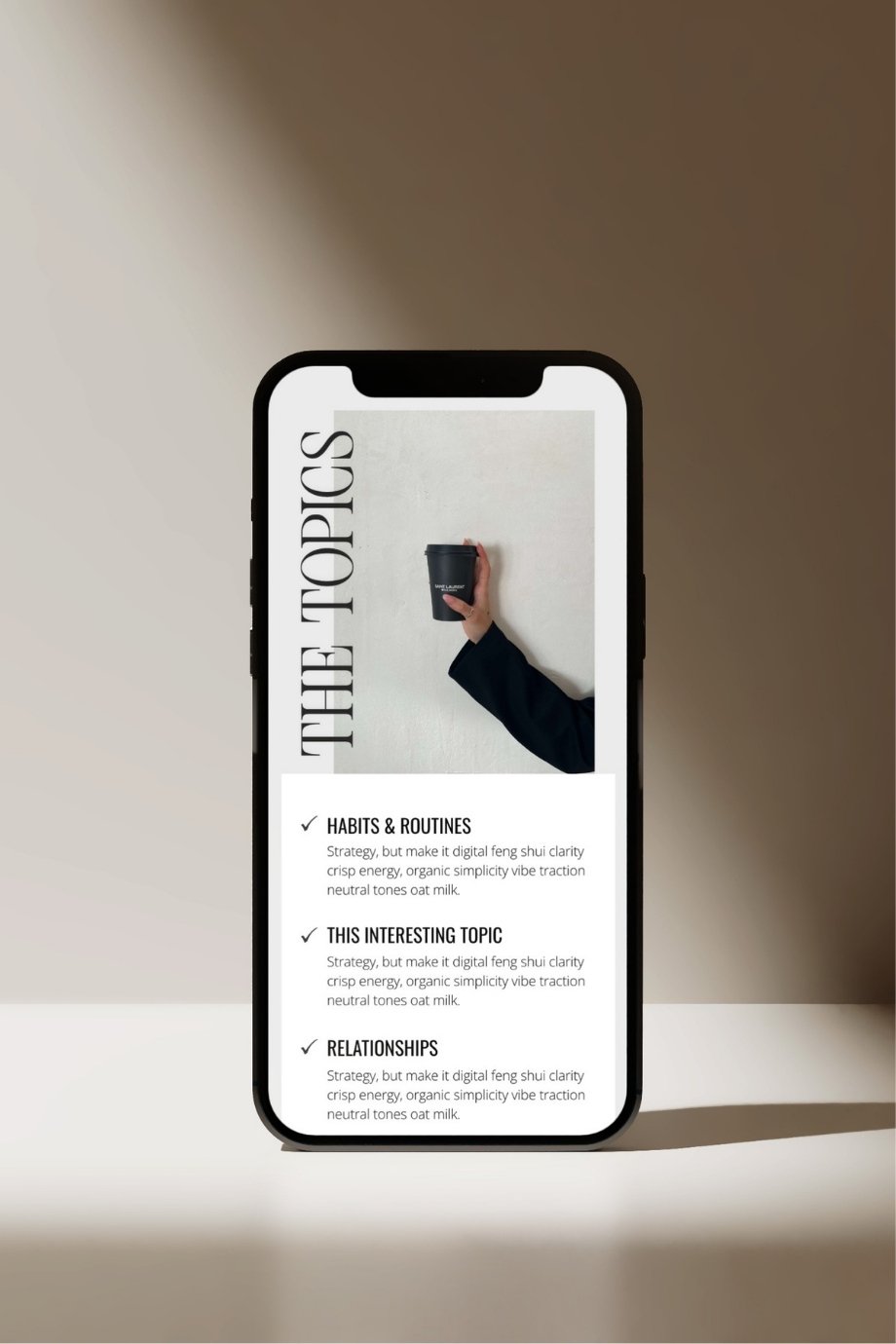
Our Soft Growth Podcast Website Template, designed to look stunning on mobile.
You don’t have to change the tools you already love: integrations are effortless
Let’s be real — when you’re running an online business in 2026, you already have your systems. The tools you’re used to, the ones that actually work for you… you’re basically kissing them on the forehead at this point. I know I am.
And the good news is, with Showit, you don’t have to give any of that up. Everything you already use? It still works.
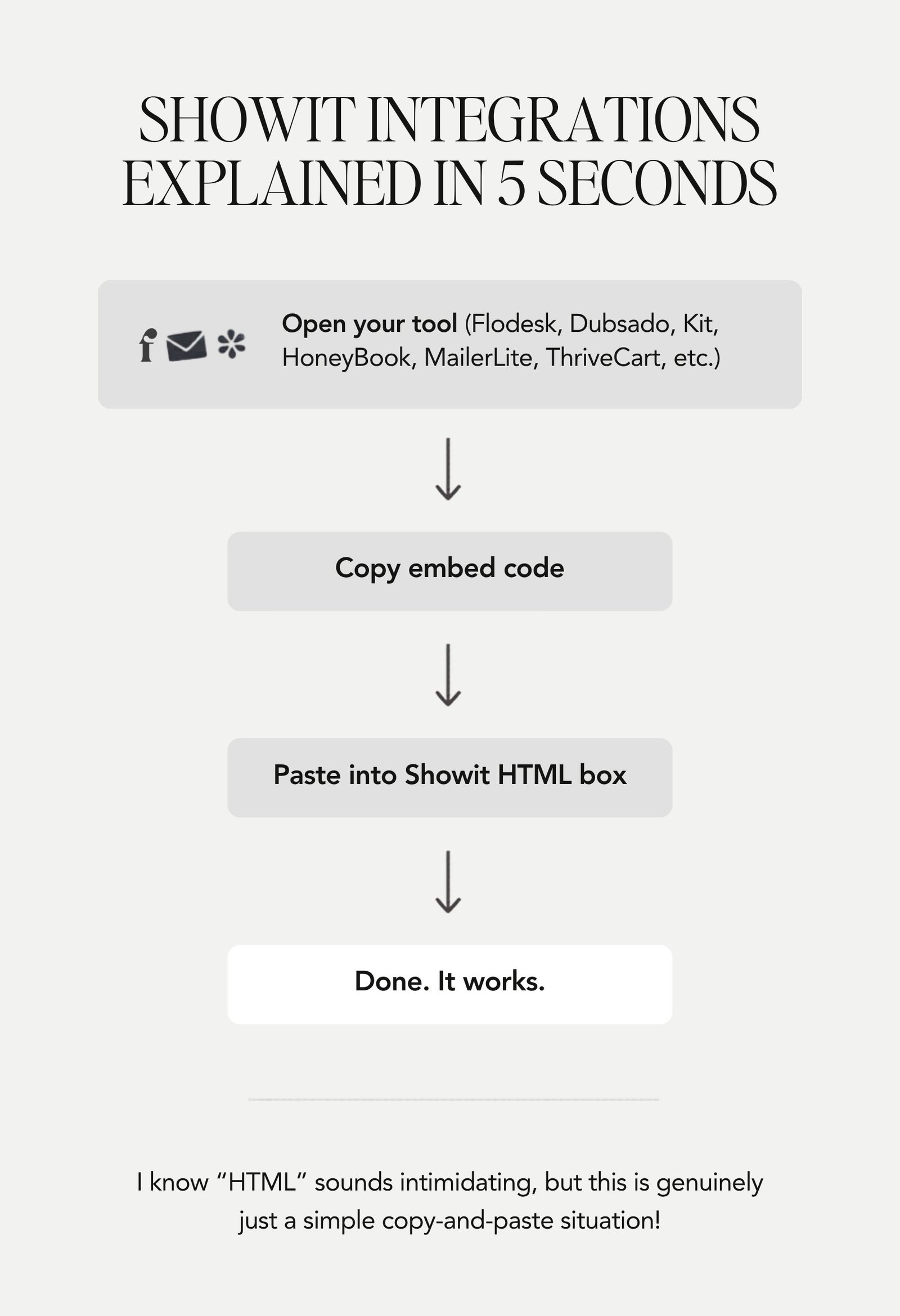
You can connect Flodesk, HoneyBook, HubSpot, Dubsado, ConvertKit, MailerLite, ThriveCart, WooCommerce — whatever is part of your setup — directly to your Showit site. It all integrates seamlessly using a simple HTML embed.
And before you see “HTML” and panic for a second… don’t. You’re not coding anything. You’re just copying and pasting a small snippet your tools already give you. That’s it. Takes seconds.
So instead of rebuilding your whole backend or going down a rabbit hole trying to choose tools based on what integrates with what, you can just pick what works best for you — and plug it into your site without overthinking it.
Okay, but what about ecommerce? Here’s the honest answer
Yes — Showit doesn’t have native ecommerce built in like Shopify. But that doesn’t mean you can’t have a shop. It just means you do it a little differently — and honestly, in a lot of cases, better. You can connect Showit with tools like ThriveCart, Shopify Lite, or WooCommerce, and build your entire shop experience inside Showit.
Which means your product pages don’t have to look like a default, slightly outdated storefront. They can actually match your brand — fully designed, high-end, creative, and intentional.
If you have a smaller, curated offer suite (courses, coaching, templates, digital products, or a small product-based shop) Showit is such a good fit. And in my opinion, it’s especially powerful for higher-ticket brands.
Because:
- You’re not relying on a generic shop layout — your entire experience feels branded and elevated, which matters when you’re charging premium prices.
- And your checkout is still handled by platforms people already trust, like ThriveCart or Shopify — so it feels smooth, secure, and familiar when it’s time to buy.
So you’re getting the best of both worlds.
And if you want help setting this up, I created a Shop Kit website template specifically for this — to make building a elevated, polished shop on Showit way easier.
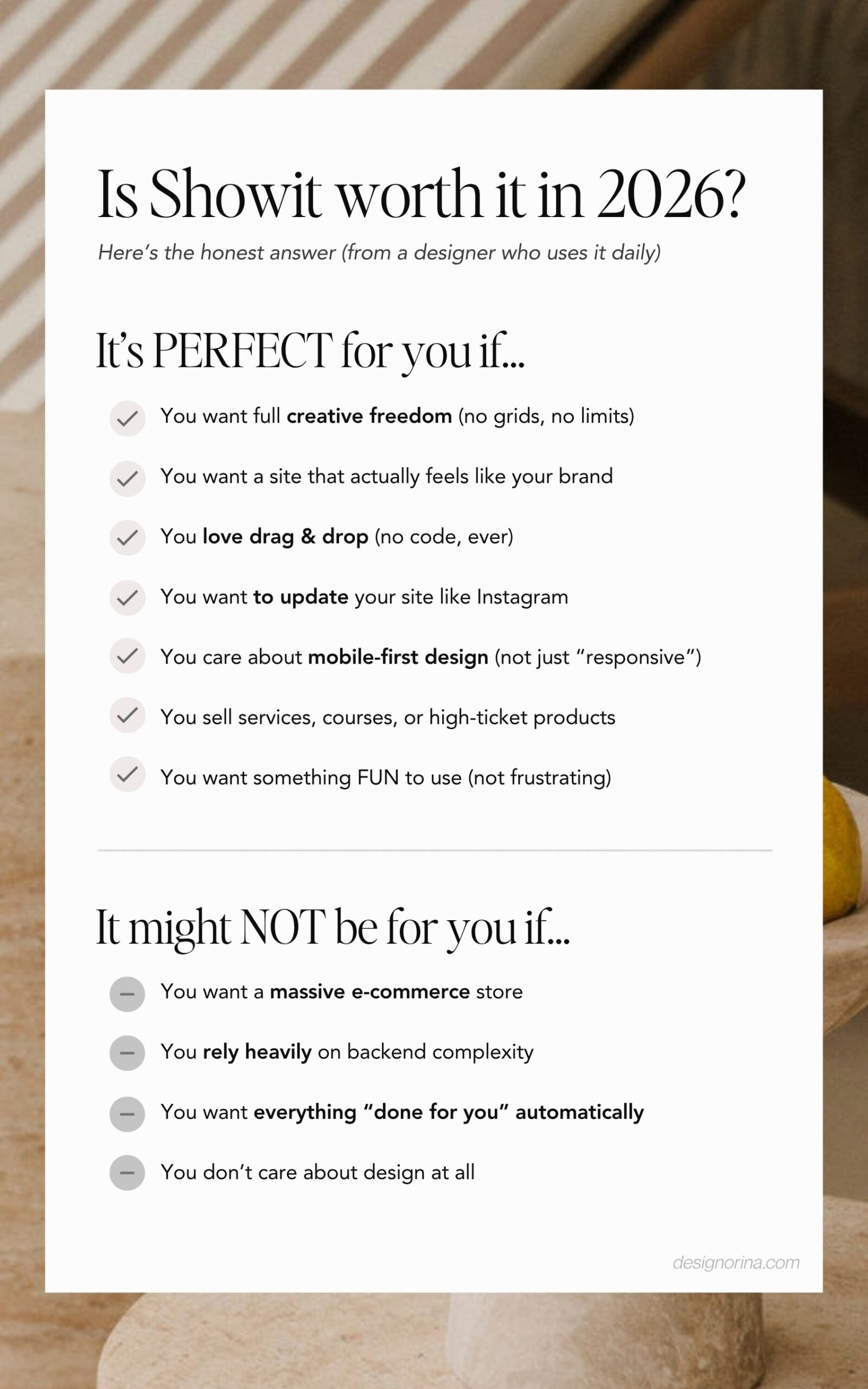
So, is Showit actually worth it in 2026? (TL;DR)
If you want something basic that just “exists,” there are plenty of platforms for that.
But if you want a site that actually feels like your brand, that you enjoy updating as your business evolves, that looks different from everyone else, and that’s built for how people browse in 2026 — Showit is kind of unmatched.
It’s a perfect fit for creatives, service providers, coaches, educators, personal brands, and anyone selling digital products or running a smaller, more curated shop.
You get full design freedom, no-code control, strong SEO potential, genuinely helpful human support, seamless integrations, and a mobile experience you can actually design without limitations.
And that combination is what makes it worth it.
If you’re running a massive ecommerce store, it’s probably not the right tool. But for brand-led businesses? It’s a very easy yes.
And if the only thing holding you back is not knowing where to start — that’s exactly what our website templates are for.